
Silent Link
SKuLLs aka CoreBoot.
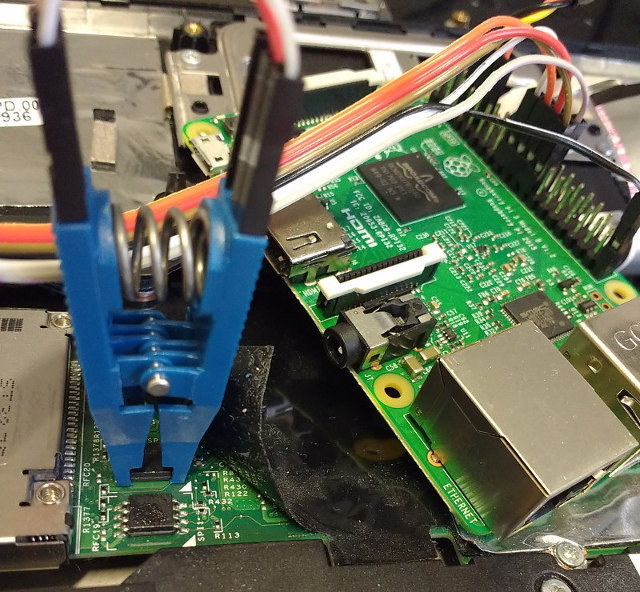
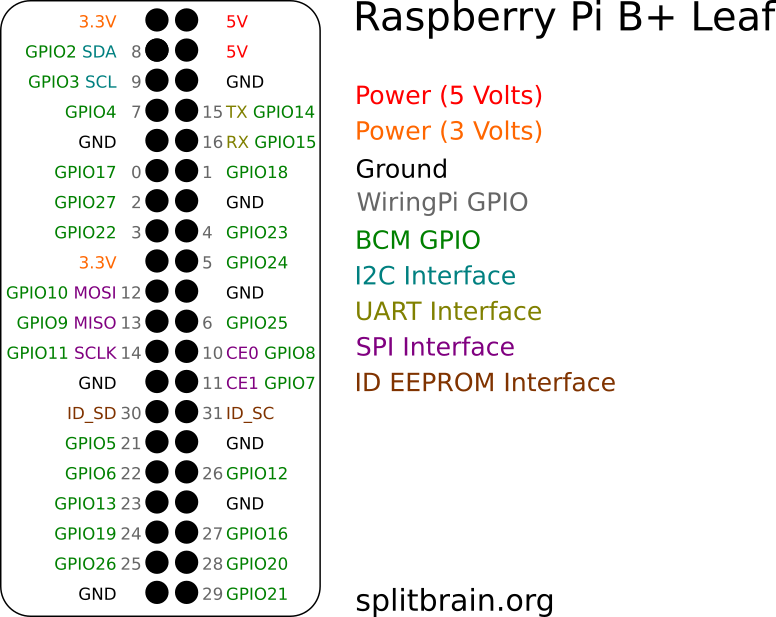
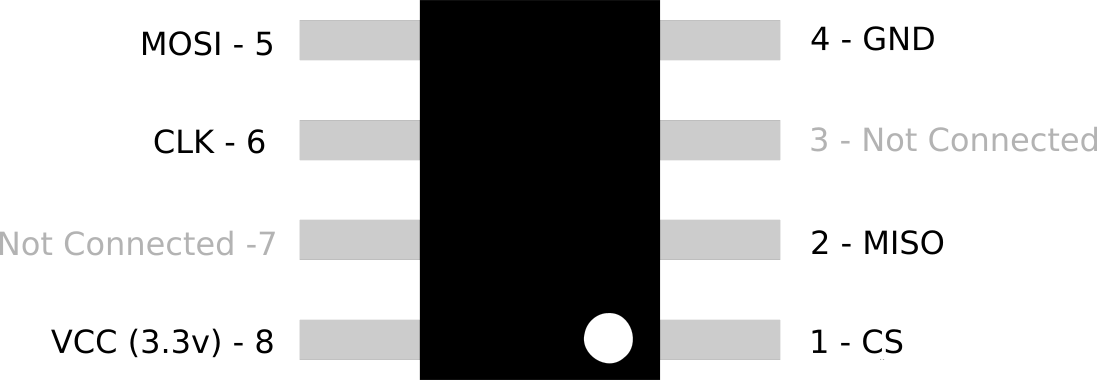
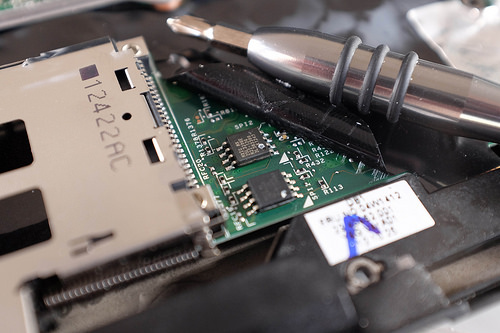
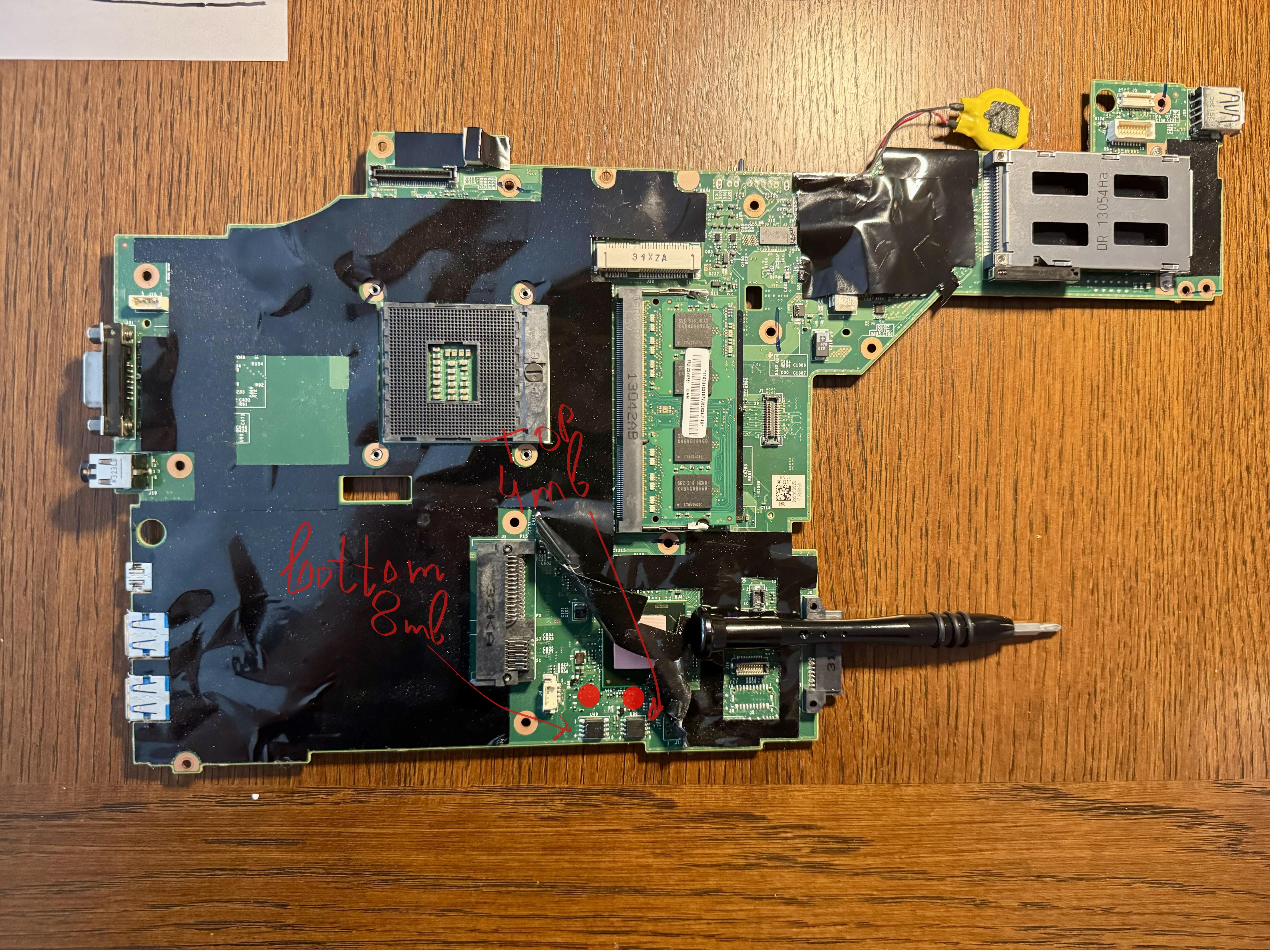
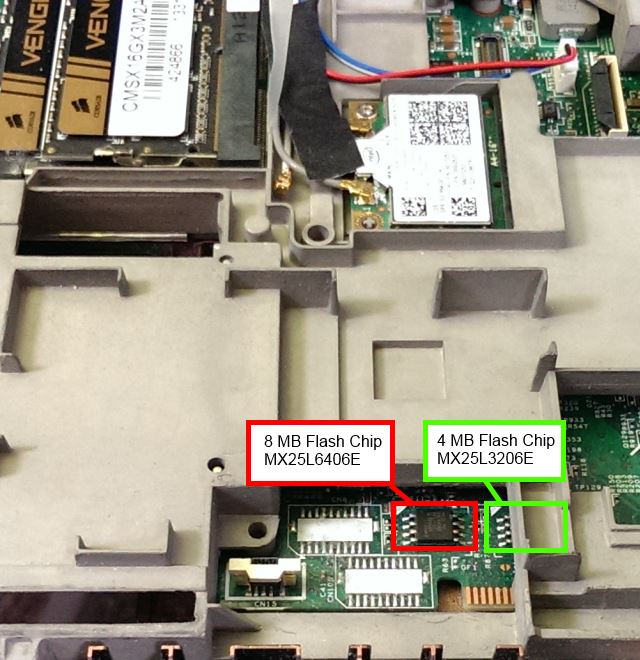
Skulls makes it easy to install an unlocked, up-to-date and easy to use coreboot-based BIOS on your laptop. unlocked: software update after first-time flashing / no restrictions for connected hardware, easy to use: SeaBIOS - simply a boot menu, compatible with Windows and Linux. Supported models include - Thinkpad X230 , X230T , T430 , T530 , W530 ,T440p. With this stop Intel Management Engine from ever becoming a potential threat. The detailed instructions show step by step instructions on how to complete the full flash with the appropriate commands and modifications you need to add for your raspberry pi in the config file. Enjoy. Hackers always rise!!! detailed_instructions.txt skulls tarbell clip image pi-pin-layout soic diagram x230 chip layout t430 chip layout t530 chip layout

Intel Management Engine - The backdoor of modern computing.
Most of Intel's chipsets have contained a tiny micro computer called the Management Engine (ME) that has direct access to everything on your computer. The ME is a largely undocumented master controller for your CPU: it works with system firmware during boot and has direct access to system memory, the screen, keyboard, and network. All of the code inside the ME is secret, signed, and tightly controlled by Intel. It's literally a backdoor made for the NSA that serves no purpose. Given intels history with government contracts people are doubtful. Having this on your system creates potential misuse of the technology or vulnerabilities to remotely control your computer without your permission. Some other key points are ---- It is always on even if the PC is turned off , It can read all data on PC/spy on the user , It can't be disabled , It can lock the PC with a command sent over the air , It's a black box which can't be audited because it's closed source , End users can't do anything about it. A solution to practically block the functionality of ME could be achieved with Coreboot. Coreboot is an extended firmware platform that delivers a lightning fast and secure boot experience on modern computers and embedded systems its designed to replace stock BIOS/UEFI firmware. Using coreboots ME Cleaner tool while flashing your hardware could clean the ME partition within the flash medium as part of the build process. While cleaning as much code as possible is removed from the ME firmware partition. In this state the ME errors out and doesn't operate any more making your system way more secure. On the next tutorial i'll be showing the steps on flashing coreboot/skulls.
Setting Up Plasma Big Screen.
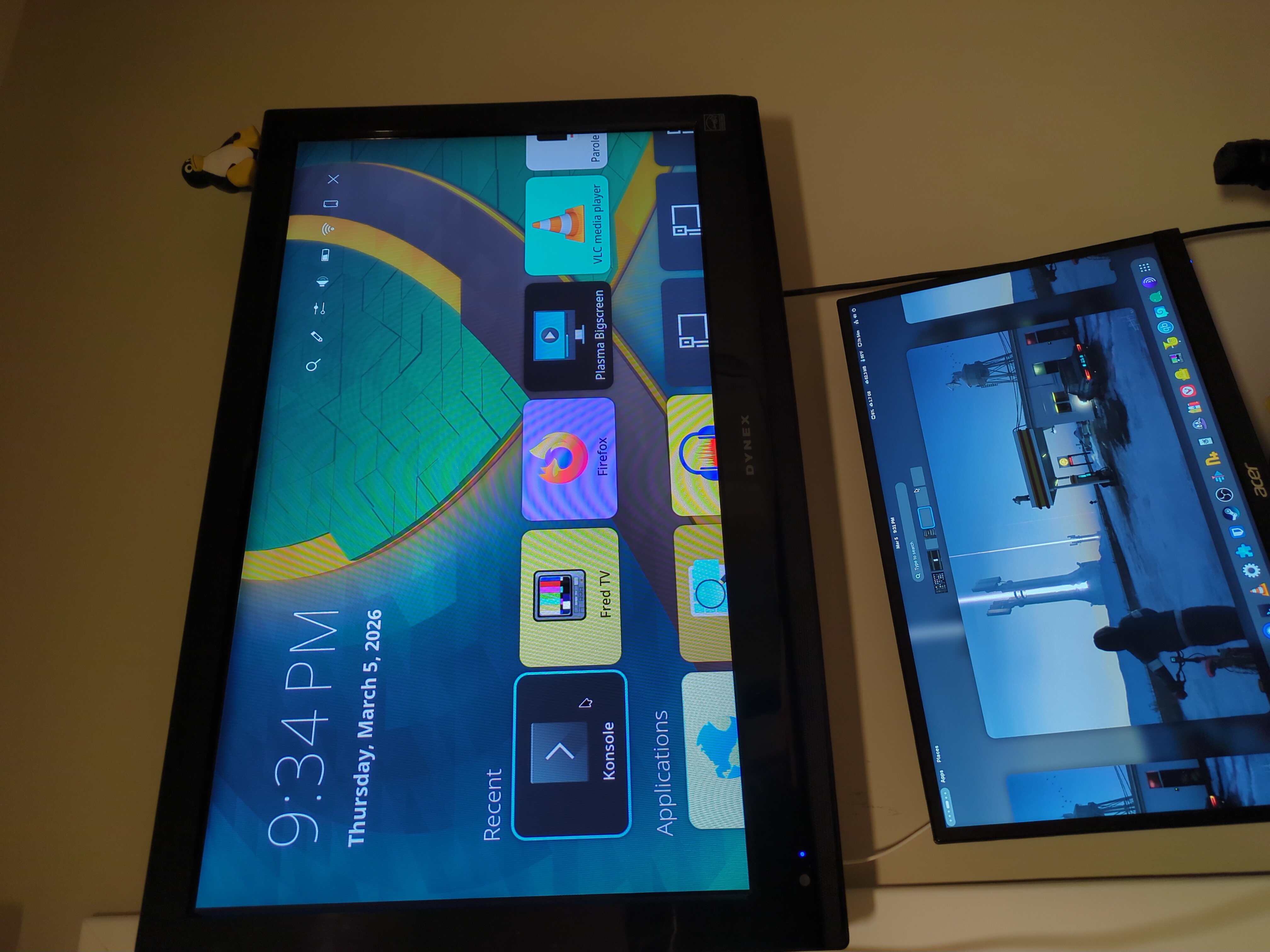
Setting up Plasma Big Screen takes a while to build from source and compile on your machine. For it to compile smoothly without any dependency errors make sure to install all of the dependencies beforehand which i've listed below that were preventing my build from succeeding. In order to build big screen we need the plasma build tool - kde-builder its the official KDE meta build system tool. It is used to manage the building of many software repositories in an automated fashion. Let's build kde-builder with the following commands >>>> | cd ~ | curl 'https://invent.kde.org/sdk/kde-builder/-/raw/master/scripts/initial_setup.sh' > initial_setup.sh | bash initial_setup.sh | kde-builder will install git, a few runtime packages, and will install its executable in your PATH so you can run it from the terminal, as in the next step. After the initial setup, you will need to generate a configuration file for kde-builder. Run: kde-builder --generate-config | During initial setup, kde-builder installed the essentials to run the tool itself. To install the distribution packages required to actually build KDE software, run: kde-builder --install-distro-packages | With this your all set to build and test big screen set a directory to store all your builds : | mkdir -p ~/kde/src | cd ~/kde/src/ | All thats left to do is run : kde-builder plasma-bigscreen plasma-remotecontrollers | This will take a while to compile once everythings all done and error free the last thing to do is to install the shell as a new session so you could launch your development shell from the desktop manager when you login (ex. SDDM), you can install it by doing: ~/kde/build/plasma-bigscreen/bin/install-sessions.sh | and there you have it , whenever you boot up your system it'll boot into sddm and have you choose which DE you'd like go ahead and use the Wayland developent profile. Stay Curious. dependencies.txt
Why use OBS? You could record your screen with ffmpeg from your terminal.
I'll like to share my recording script I use to record my videos for peertube and youtube ive done a little modification to remove some of the white noise from my mic. A quick explanation on what the script does - once the script is started it starts recording your screen in 1080p with a noise filter and output directory for the file, it also records at the same time if you're using a webcam and stores it in a separate file as well. Enjoy. screenrec.sh
Setting up GPS on sxmo PostmarketOS.
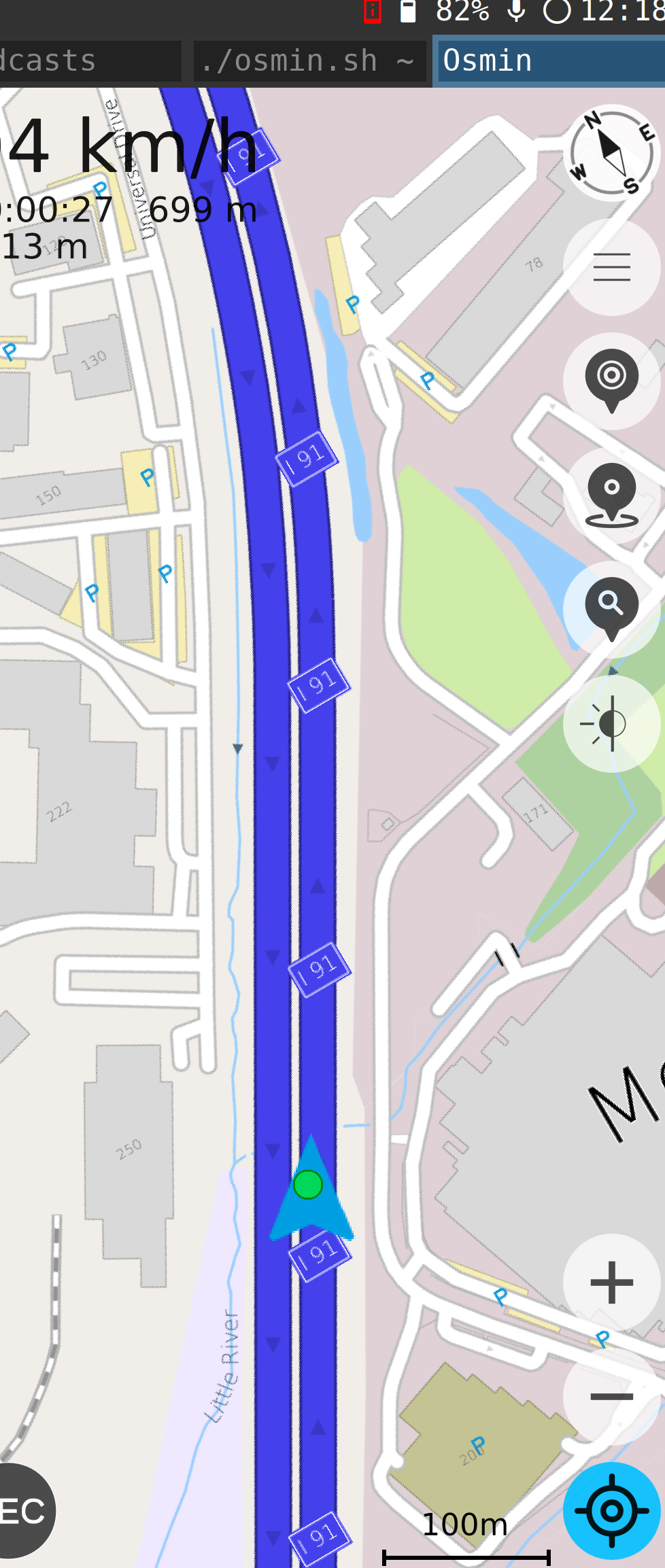
By default gps dosen't come set up once you've installed PostmarketOS or it either gives you a toggle like on phosh to turn on location services and once your open up the stock maps app nothing happens. For this tutorial we'll be using OSMIN and two scripts to help expidite the process. Both scripts below describe in detail what they're doing like gps.sh enables gps from within the terminal and osmin.sh already has the launch script needed in order to launch OSMIN. Make sure you have osmin installed and gnss-share and copy both scripts to run on your device give them execute rights (chmod +x gps.sh and osmin.sh ) . The first one that needs to be started is gps.sh which will geolocate you and lock in a location for your device. Second we fire up osmin.sh which will launch the gui of Osmin it'll indicate that you need to download the map for your region and once thats downloaded your free to start using the app like you would other navigation apps. The above image is what you shall see. Enjoy. gps.sh osmin.sh
MidnightBSD Excludes California from Desktop Use Due to Digital Age Assurance Act.
The false pretense of protecting the children online is now taking its toll on the open source community. Resistance is going to be key in our battle for digital privacy and rights. For MidnightBSD to make the choice of baring the whole state in using its OS is already a setback due to the fact that open source is primarily focused on a community of developers who are contributing to the project all the time. But adding age restrictions adds technical burdens and financial risk > Engineering Hurdles --- (The law requires a complex system to track and share user ages securely via an API. For a small team, building this infrastructure takes time and resources away from improving the core operating system.) Extreme Financial Penalties ---- (The penalties for mistakes are very high. If the California Attorney General finds a "negligent" violation, the fine is up to $2,500 per affected child. If they find an "intentional" violation, the fine jumps to $7,500 per child.) I back their choice on this issue and pushing back on their final decisions . For now talk a hold of your local legislators and make your voices heard. This cannot persit any longer. I'll keep you updated on current laws and solutions the open source community is taking.
Host your own IRC Server Via Tor!
Are you trying to communicate with your friends anonymously via tor using internet relay chat a old but trustworthy technology for means of communication when big brother is trying to tap all forms of messages that ever leave your devices. Well you've come to the right source all it takes is some simple commands and a spare linux vm or lxc or heck a raspberry pi could do the trick. Go ahead and fire it up and of course install tor first and update your system the second program we're going to be using is called inspircd which will be the server. I'm setting this up on ubuntu server --- sudo apt install inspircd -- sudo apt install tor ---- . Once both are installed we need to create a onion hostname to forward inspircd from , first head over to the torrc config file located at /etc/tor/torrc , edit this file and add the following lines to create your onion hidden service hostname as well as forwarding all traffic from inspircd which runs on localhost port 6667. ----- HiddenServiceDir /var/lib/tor/hidden_service/ ------- HiddenServicePort 6667 127.0.0.1:6667 thats all we need to configure on tor. Now go ahead and restart tor on your system like so - sudo systemctl restart tor and cat the following directory for your onion address , - cat /var/lib/tor/hidden_service/hostname it will output your new onion link which you could use on your irc client of choice. Also change the default root password for inspircd located at /etc/inspircd/inspircd.conf. All thats left to do is fire up inspircd by running sudo systemctl start inspircd and there we have it with your onion link and inspircd server running you're all set to connect to it , ill go with hexchat for today a irc client. As soon as you fire up hexchat it gives you an option to choose your networks we're going to need to add our server manually by clicking add and pasting our onion address once indicated. Now you have a fully annonymous irc server routing all traffic through tor.
Permanently delete/overwrite sensitive files for your security!
As a follow up on my previous tutorial on how to recover deleted files , this post will show you how to get rid of them forever without leaving a trace and making recovery impossible. Most normies just delete files by right clicking and emptying the trash in their mind the files are gone. What does deleting a file actually do. In simple terms it removes it from the users perspective but on the back end the file is kept temporarily until new data has been overwritten over it. So if you dont replace the empty space with new data or blank space the files could be recovered. Now open up your terminal to your desired DIR where you file resides. We will be using the linux tool (SHRED) from now on to delete files ---- Description - shred - Overwrite the specified FILE(s) repeatedly, in order to make it harder for even very expensive hardware probing to recover the data. run : shred -uz yourfile.pdf | the u option deallocates and removes file after overwriting while z adds a final overwrite with zeros to hide shredding. This is all you have to do to remove your desired file . Let's say you want to sell your drive or give it to someone you don't really trust or just want to wipe a partiton / drive clean with no remenants of data the following command will use /dev/urandom in order to fill your drive with random data overwriting previous recoverable files on your drive , For example /dev/sdb1 is mounted on my computer at /mnt/tmp which we cd into to run this command : sudo dd if=/dev/urandom of=file bs=1M status=progress || what this does is make a file within my /mnt/tmp directory filling up the whole drive with random data essentially making the file size the space your drive holds so for me 500GB , the progress indicator will show how the progress is going until when it reaches the drive capacity and cancel out indicating your out of space which means now your're clear to format the drive which will get rid of the file created. Practice good opsec and leave no traces. sayonara.
Mobile Hotspots - Bypassing Carrier Throttle Speeds.
For the most part if you have unlimited data plans it only pertains for data used directly by your phone. When you're using your phone as a mobile hotspot the carriers only give you little to no data allowance. So how do we bypass this hotspot limit , we could do this from our mobile devices use a program called termux this will be considered as a ssh tunnel to route your laptops internet through your phone. This is often against phone companies and may even been illegal. Once you have termux installed make sure to update and install openssh --- pkg update && pkg install openssh , Second we start the ssh server on our phone -- sshd -- , get your username -- whoami -- set a passwd and find your phones ip address using ifconfig Termux uses port 8022 for ssh by default. Now go to your laptop and build the ssh tunnel and socks proxy using your ssh client openSSH. On your laptop terminal type : ssh [email protected] -p8022 -D8080 | this command ssh's into your phone with a dynamic destination port of 8080. ON your laptop browser (Firefox) go to Settings > Network Settings , choose Manual Proxy Configuration , Set SOCKS Host to 127.0.0.1 and port to 8080 , choose SOCKS v5. Now Firefox is sending its traffic through your phones SSH tunnel. Keep in mind that the ssh connection needs to be open for this to work. This way you've achieved to route all traffic from your laptop through termux , not your hotspot. This is faster and won't count against your hotspot data. If you want to route traffic besides firefox ill soon be making a new tutorial on manipulating TTL.

Fedora Pocketblue For Mobile Devices.
Fedora Pocketblue Remix is a mobile Linux distribution designed to let you run Fedora on a smartphone or tablet. But unlike most mobile Linux distros, Pocketblue is an atomic distro. A atomic distro means that its a OS thats harder to break because of the way the updates are installed so if something breaks during updates or pkg installation, the OS will just default to using the old version of any given package. At the moment pocketblue only boots on the follwing devices : Xiaomi Pad 5 and Pad 6 tablets, the Orange Pi 3 LTS single-board computer, and three smartphones: the Xiaomi Pocophone F1, OnePlus 6, and OnePlus 6T. The current DE's are phosh and KDE. I'll be trying it out on my oneplus 6t in the coming days , so give it a try. pocketblue
Free IP Geolocation Database.
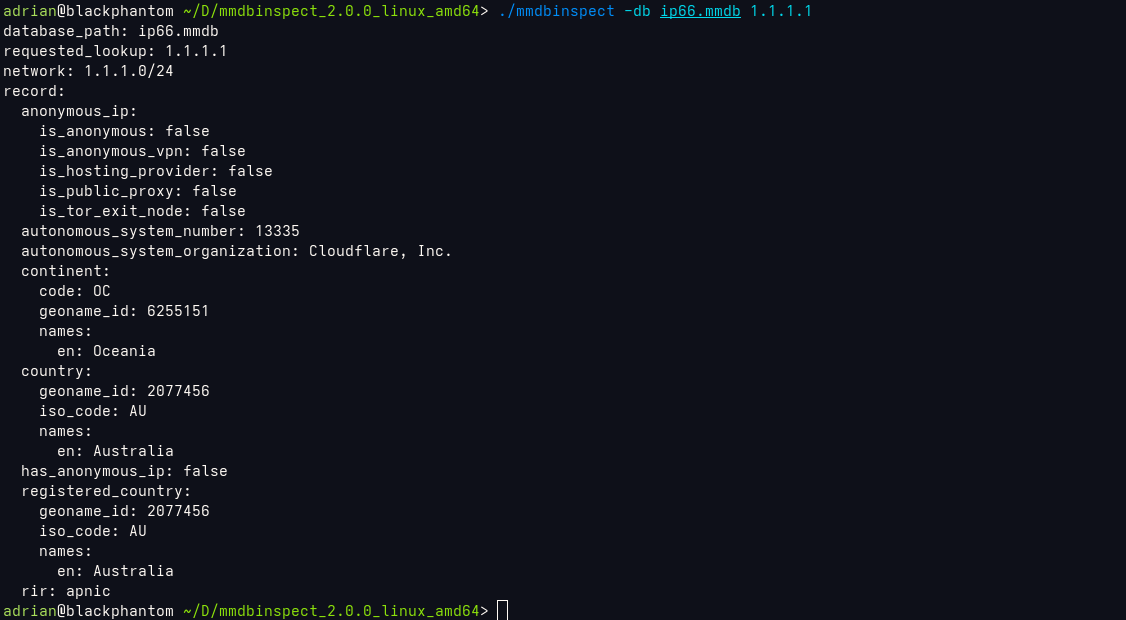
An MMDB-compatible IP Geolocation database with ASN, country, and continent data. You will need to set up mmdbinspect on your computer here are the links for the installation from github. After you've set up mmdbinspect you could go ahead and download the db from the link below and run the following command to geolocate ip ---->>> ./mmdbinspect -db ip66.mmdb 1.1.1.1 | This outputs the image ref above. A pretty cool tool to keep. mmdbinspect ip66
DO NOT DOWNLOAD THE GOVERNMENT VPN!
What in the actual fuck is our government trying to fool us with freedom.gov a government funded vpn service to "combat internet censorship" ffs not even my dog believes that BS . There are plenty of alternatives to use like Mullvad or Tor, please stay away from freedom.gov unless you don't mind your internet activity being logged and surveilled.
Small win for firefox.
A step towards the right direction with Firefox 148. "you'll find a new AI controls section within the desktop browser settings. It provides a single place to block current and future generative AI features in Firefox. You can also review and manage individual AI features if you choose to use them. This lets you use Firefox without AI while we continue to build AI features for those who want them". Not a bad move for Firefox lets hope they continue this path.
Motorola announces partnership with GrapheneOS.
The hardware restrictions with pixel devices could now be potential things of the past as the two companies join forces by combining GrapheneOS's pioneering engineering with Motorola's decades of security expertise. "We are thrilled to be partnering with Motorola to bring GrapheneOS's industry leading privacy and security-focused mobile operating system to their next-generation smartphone ", said a spokesperson at GrapheneOS. "This collaboration marks a significant milestone in expanding the reach of GrapheneOS, and we applaud Motorola for taking this meaningful step towards advancing mobile security."
Tor VPN beta.
Remove censorship with tor vpn. While its still in beta it shows some promising perspectives in the battle for mobile privacy and surveillance.
torvpnCreate a RSS feed from your personal blog.
First things first we are going to need to create a script that runs automatically in the background with the help of cron jobs ive link the python script I have setup for my feed in the txt file linked here. All it does is follow the structure I use for each of my blog posts which is simply a new p element each time I make a new post with the data date reference to make the script fetch the posts better. Then of course you need to add the reference point into your index.html which is linked in the rss.txt file. Once everything is done the last thing to do is create a cron job pointing to your script so it runs every hour which basically updates your rss feed with every new entry you add this command is also in the rss file linked. RSS Script
Galaxy S26 Ultra has a interesting feature.
The new Privacy screen on the galaxy s26 ultra Privacy Display is a hardware feature, not a software one. It's built into the display itself at the pixel level. The new technology from Samsung Display uses narrow pixels and controls how they disperse light. You always get the full experience from the screen when viewed straight on, but it dims when viewed from the sides so much so that it appears almost turned off. It's one of those features Samsung implements from time to time that could potentially be a universal feature on other phone brands.

Open PGP For Encrypted Messages/Email.
Achieving full end to end encryption using pgp could be our last resort in our battle with big tech surveillance . Heres a quick tutorial on how to create gpg keys for your personal use and also use your public key to send to your recipient for message exchange. First things first lets start of by creating a new gpg key -->> gpg --full-generate-key // make sure to use ECC encryption for better security and set a secure password. Now export your public key in asc to send to your recipient -- gpg --armor --export [email protected] > mykey.asc , this will export your key in a asc file to send to whoever for message signing. So this is how this works you send your pubic key to someone they send you theirs and you use each others keys for signing and encrypting messages. Its essential to import your recipients public key to your system to send messages to them as well like so >> gpg --import recipientkey.asc. With this settled lets make a simple txt file with your message in it and use the following command to encrypt with the recipients email like so -->>> gpg --encrypt --armor --recipient [email protected] message.txt > This will output a encrypted file ending in .asc which you could copy the contents of it and send via email to your recipent or the whole file as well. So the recipent recieves the encrypted message imports your public key and runs >>> gpg --decrypt message.txt.asc and with their secret key stored locally on the system all they have to do is enter the passphrase and the message gets decrypted, and this works vice versa. Seems confusing at first but once you get used to the commands it becomes second nature. So hide your data from big tech and exchange messages privately like it should have been from the start.
How do we recover deleted files on linux?
Foremost is a linux command line utility that allows us to recover previously deleted files from within your storage device. Keep in mind that if you've gone ahead and removed the file but have already filled up the space with new data its unlikely you'll be able to recover the lost data. Let's say you have'nt over written your data with some simple commands you could recover lost data. Go ahead and install Foremost on your favorite linux distro and run the following command : sudo foremost -i /dev/sde1 -->> sde1 is where my file used to be but it'll be different for you. Now this will scan the headers of the partiton and see what data could be recovered and store it on a txt file once finished . Go ahead and cat the file --- sudo cat output/audit.txt , This is show all the file formats that could be recovered. Ok now create a recover folder in your home directory to store the files. Run --- sudo foremost -v -q -t png -i /dev/sde1 -o $HOME/recover/ -->> and there you have it be sure to specify the file formats you want to recover in that command.
I'm Back !!!!
Welcome back chads . I released a new video yesterday describing how to recover deleted files using Foremost on linux go check it out youtube channel is linked at the whoami section.
(8-05-2025) - Peertube - A decentralized video platform for p2p sharing AKA a YOUTUBE Alt. I've set up my own instance at Adrian's Instance Currently have about 4 tutorials posted on different topics like , how to encrypt a drive using Luks , essential apps to use on GrapheneOS as well as a step by step guide on how to setup Rayhunter.
OpenBSD vs Linux - So which one do we choose. Ive been intrigued on how bsd works compared to linux. From viewing some videos and other forums I feel that OpenBSD is the way to go and get to daily drive it with possibly a full desktop experience.
(07-04-2025) - Happy 4th -- What is an ALPR? Automated License Plate Readers (ALPRs) are cameras that capture images of all passing license plates, storing details like the car's location, date, and time. These cameras collect data on millions of vehicles regardless of whether the driver is suspected of a crime. While these systems can be useful for tracking stolen cars or wanted individuals, they are mostly used to track the movements of innocent people. Check ALPRs around you. ALPR MAP
(06-12-2025) - The end of AOSP? , well its gotten even harder for development to persist on custom roms for pixel devices like GrapheneOS , as off 6/10 google released android 16 aosp but without device trees or drivers, leaving developers in aw with this sudden and drastic change.
(06-11-2025) - PostmarketOS v25.06 released for testing.

(06-07-2025) - Decentralizing from streaming services.... Time has come for us to own our media again and stop paying for stuff that would never be yours and are out of your control. Why pay for music subscriptions to a corporation , when you could support the artist by buying physical media and ripping the files from the CD into your personal mp3 player like a walkman or iPod , I personally have a ipod classic 5th gen with custom rockbox firmware that allows for drag and dropping without itunes. Do you want to stream your media on your phone you could do that as well. Read More
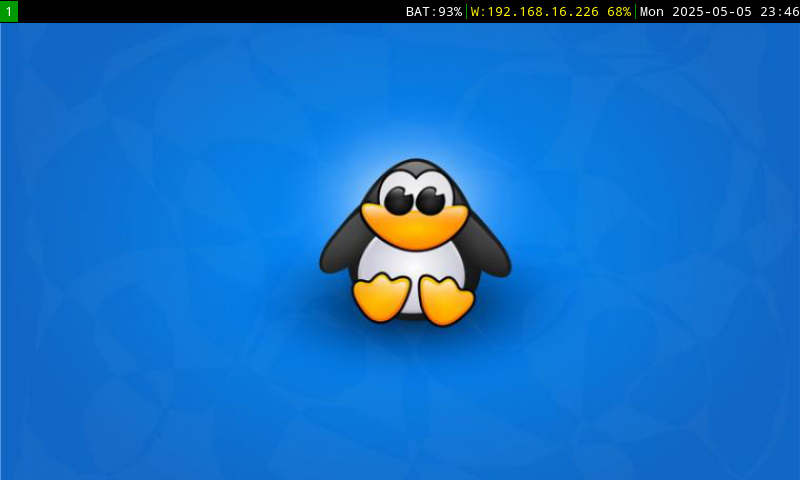
The Nokia n900 - A innovation for its time. Mine is running Post Market OS like seen above with i3wm on the stable branch , I had on edge but it kept breaking and all my configs got destroyed. Here are my 3 most used bash scripts that help me run the device properly. first we have screenlock.sh this script helps us control the screen and dim the light to 0 when the lock toggle in the side is triggered. it won't sleep the device but will dim it. I haven't implemented the way its used on the edge version, when you the slide the screen back up it comes back to life. #2 we have audio.sh This script starts the audio drivers in the device , using pipewire instead of pulse as its light on resources which is a big plus with our limited specs on the device. pactl info shows if everything was loaded properly. #3 kb.sh This one activates the keyboards back light as by default the system dosent bring it up. (change the vaule to your liking). Keybindings are easy to look up and get used to (pmos wiki). Pro Tip add wifi using nmtui from the terminal.
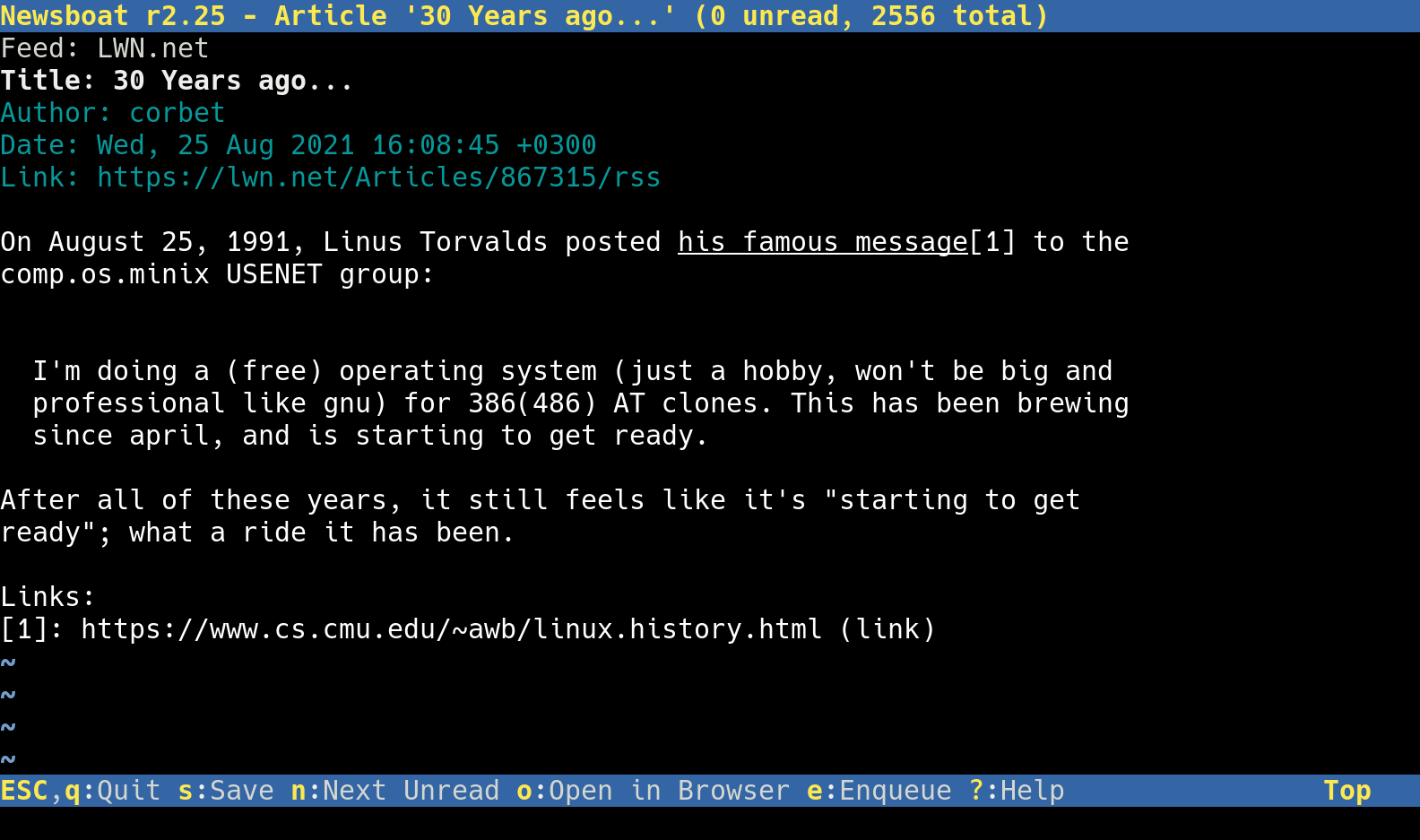
Newsboat - A RSS Feed Reader on the CLI - all you need is to add a urls file within the .newsboat directory to sync your favorite feeds. RSS never tracks you.

(06-04-2025) - My Favorite apps compatible with postmarket os. App List

(06-03-2025) - (Bash Tutorial #1) - Bash is great when working with linux as it helps automate alot of processes , and create pretty cool scripts. After experimenting with sxmo i like using their youtube script that lets you search from their prompts , so i decided to make my own version using yt-dlp as well and playing what ever video i select from within the script with mpv. once you make it executable my script will prompt you for a search. its very intuitive through the cli . Choose your video and it'll play. or ctrl + c to exit mpv and load another video all this time the script will stay active until you tell it you're going to exit. Youtube Script
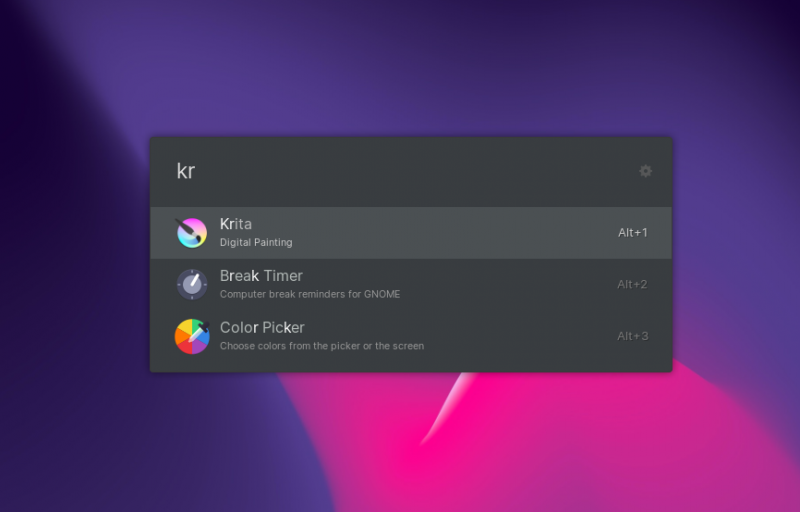
(Ulauncher) a cool tool tool ive been using lately for launching my applications with a ctrl+space keybind. here install it : git clone https://aur.archlinux.org/ulauncher.git && cd ulauncher && makepkg -is .

(06-03-2025) - Quick Tutorial // Have you ever wanted to have a hidden partion for security/privacy reasons? , well heres how to set it up on linux using AES 512 encryption. For this example im using a sd card on my thinkpad /dev/sdb. here are the steps -->>> encrypt
(06-02-2025) -Today ill be showing all my configs i use in postmarket os throughout all my devices either phosh , sxmo or i3wm . now lets start with the Oneplus 6T , sxmo is easy to customize when you understand how it functions. The first thing that had me thinking when i first started using it was , how do I change the wallpaper? actually it was pretty simple the default pmos wallpaper is located in /usr/share/wallpapers named postmarketos.png, we need to overwrite that file . WGET any image you would like to use. now move it from your downloads folder sudo mv image.png /usr/share/wallpapers withing the wallpapers directory, input sudo mv image.png postmarketos.png, this will overwrite the stock postmarket os wallpaper and replace it with yours. pretty cool. Next lets configure a simple lock screen with a program call Peanut Butter. click here for the more indepth tutorial.

(05-28-2025) - How far are we advancing with Linux Mobile?
I've been using postmarket os since the beinging of the year testing it out on multiple devices like the oneplus 6t , google pixel 3a xl and the nokia n900.

Have you been wanting to create/build your own pwnagatchi to tackle down WiFi Networks around you? What does it do? ---->>>>> Pwnagotchi is an A2C-based AI powered by bettercap and running on a Raspberry Pi Zero W that learns from its surrounding WiFi environment in order to maximize the crackable WPA key material it captures (either through passive sniffing or by performing deauthentication and association attacks). This material is collected on disk as PCAP files containing any form of handshake supported by hashcat, including full and half WPA handshakes as well as PMKIDs.
(10-04-2024) - ITS NOW OCTOBER AND IVE BEEN MIA! Have you heard of HPING3 - It can create TCP UDP ICMP AND RAW IP Packets enabling us to create an almost infinite variety of packets that we can use to get past IDSs, Firewalls and scan systems behind them .

(07-06-2024) - SUDO SYSTEMCTL START NGINX >>>>>>> ::: It has been a few months since my last post, i've been having a lot of fun experimenting with docker. Docker Hub

(03-04-2024) - A COLLECTION OF HACKER DOCUMENTARIES ON THE CLEARN3T!. HACK THE PLANET
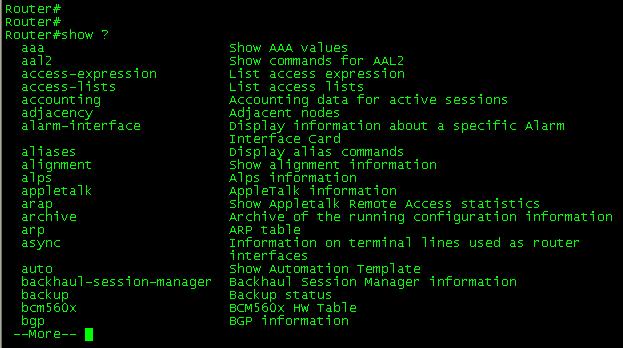
(03-03-2024) - are you having a hard time memorizing Cisco CLI commands for configurations and managing your ports. Check out some port security commands listed in the TXT file. cli

Do you want to block ad trackers from tracking your web traffic? PiHole is the solution. Since i've initially set it up I haven't seen any sort of pop up and side banner ads like on speedtest.net PIHOLE
(02-28-2024) - Have you ever wanted to run a LLM(LARGE LANGUAGE MODEL) locally from your system? Well here are are some simple instructions on how to make it work,I would suggest running it with NGROK to access from outside your localhost. SAY GOODBYE TO CHATGPT. llm
(12-23-2023) - HELLO FRIEND!, Messing around with the kali tool called WifiPhisher. Works similarly to a pineapple creating an evil twin using a wifi adapter.

WHAT IS NMAP? --- (Network Mapper)
is an open source tool for network exploration and security auditing. It was designed to rapidly scan large networks, although it works fine against single hosts. Nmap uses raw IP packets in novel ways to determine what hosts are available on the network, what services (application name and version) those hosts are offering, what operating systems (and OS versions) they are running, what type of packet filters/firewalls are in use, and dozens of other characteristics. But how do we as Red Teamers use the tool to scan a targeted network without leaving as much trail as possible?
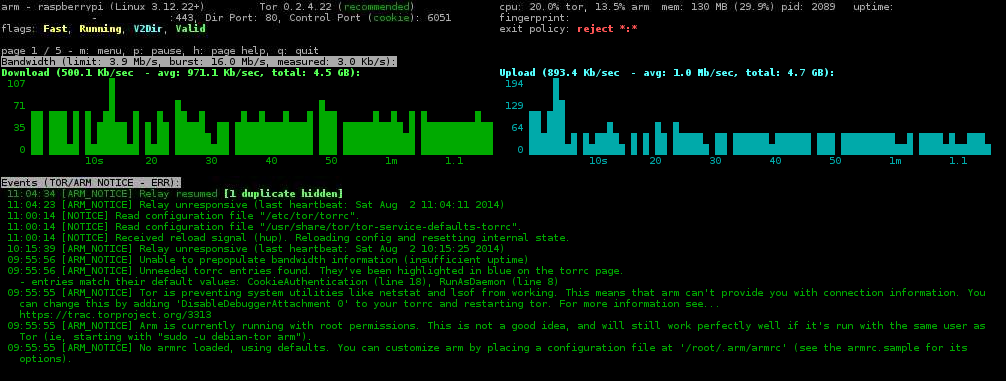

(11-9-2023) - Host A Onion Relay for the TOR network, help people stay anonymous online. When connecting through tor your connection makes 3 hops, first through the Entry Node(GUARD), then the MIDDLE node and 3rd the EXIT NODE. The goal is to become a middle node and work your way up to becoming a guard. CONSISTENCY IS KEY. There two ways to host it, One through your network using a Raspberry Pi and port forward. Or the best way , from a cloud Host. Here are the step by step intrucions on how to do it, as well as a link to the Tor Project explaining the relay life-cycle. The more amount of time has passed the bandwidth will increase allowing other users to use your relay.Instructions relay life-cycle
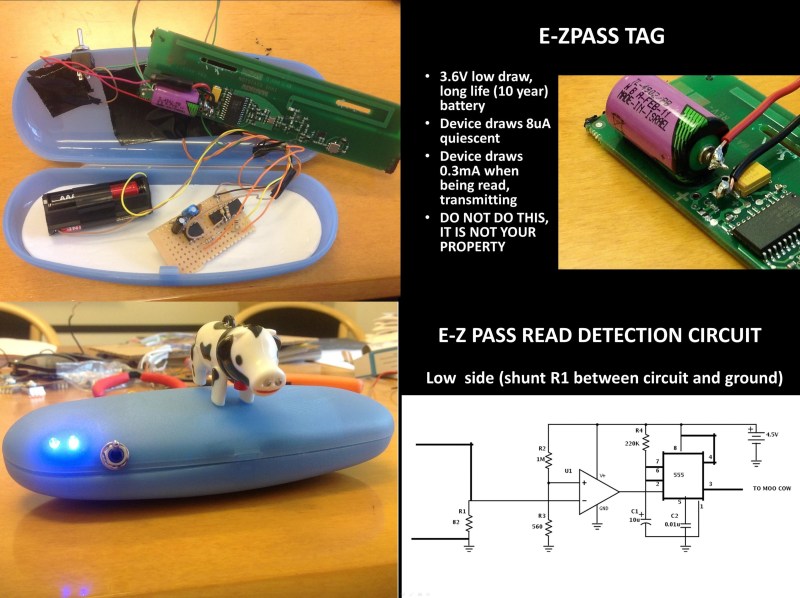
A little late to the party with this intel but everyone should be informed if you haven't, During Def Con 21 Speaker (pukingmonkey) made a presentation of how hes been studying the methods government and law enforcement use to track private citizens vehicles on the road. As he stated on his keynote, One of the major tracking methods is E-Z Pass which is an electronic toll collection system used in several states around the country. While he roams around NYC in a modified Tag(that lights up when the tag is read) , driving between Times Square & Madison Square Garden the tag was read 6 times in a route with no tolls. The New York Department of Transportation has long stated that these reads are used only to track traffic congestion. Their suggestion is putting your tag away in an anti-static bag (Faraday cage) when not approaching a toll. DEF-CON-PRESENTATION-PDF
(11-7-2023) - Great day for old Google devices Pixel 4a Gets latest Android Security Updates.

(11-5-2023) - Have you ever wanted to jam a Bluetooth Speakers Signal to prevent tethering? Well here's a simple python script that i've written to prevent a connection from any device. All you have to do is run hcitool scan on Kali copy the mac address of the device you want to jam because the script will ask you for it . Run the script, input MAC, PACKAGE SIZE/THREADS. This will fire off packets to prevent a connection which eventually will turn off the speaker.
PACKAGE SIZE :600
THREADS :500
Python Script
AIRGEDDON ----- Airgeddon is a multi-use tool that can be used for a variety of tasks, such as:
~ Scanning for and exploiting wireless networks
~ Attacking wireless clients
~ Cracking WEP and WPA keys
~ Capturing packets
~ Spoofing MAC addresses
~ WPS ATTACKS
head over to github and get it setup and happy hacking !!!!
AIRGEDDON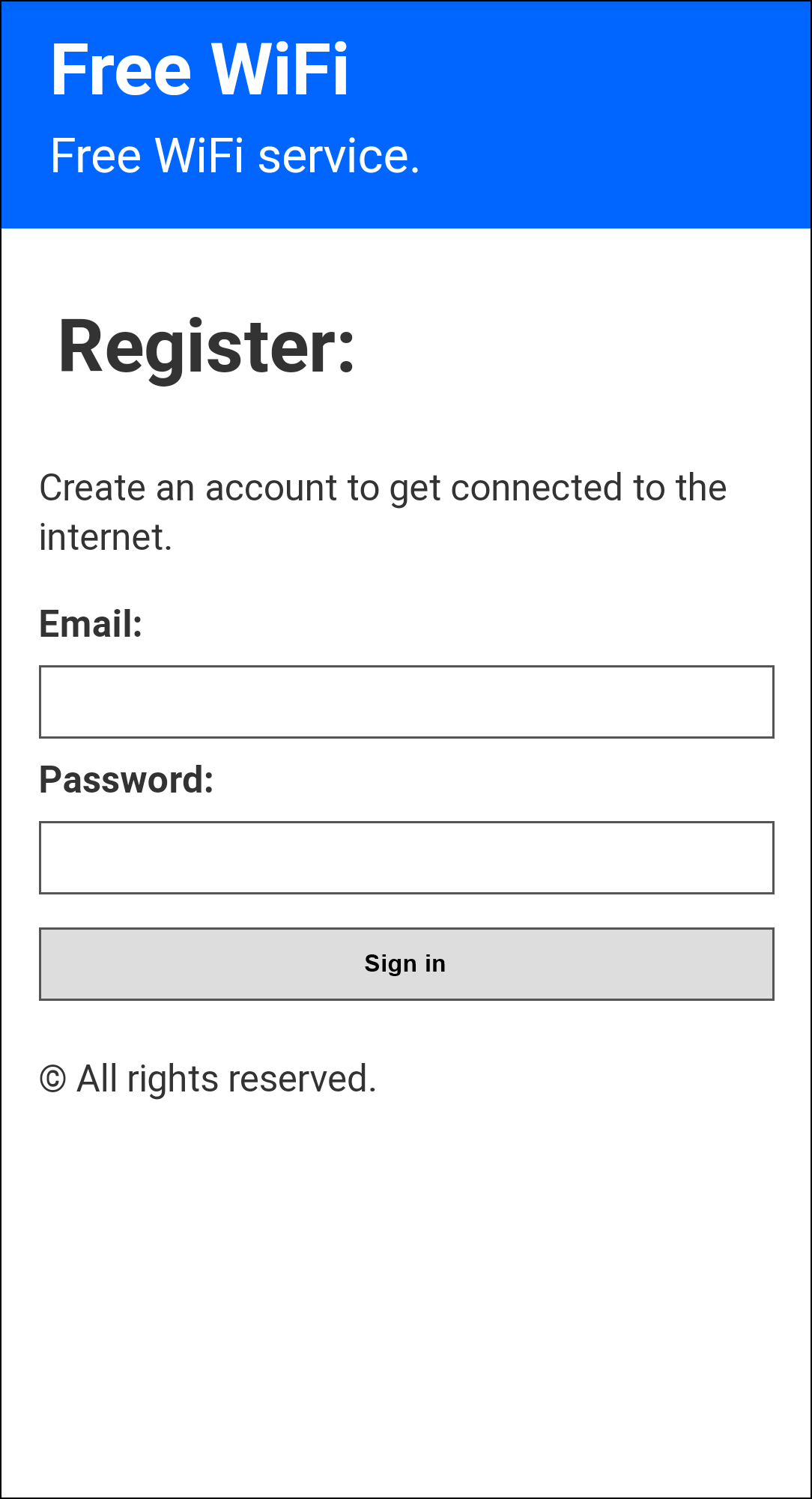
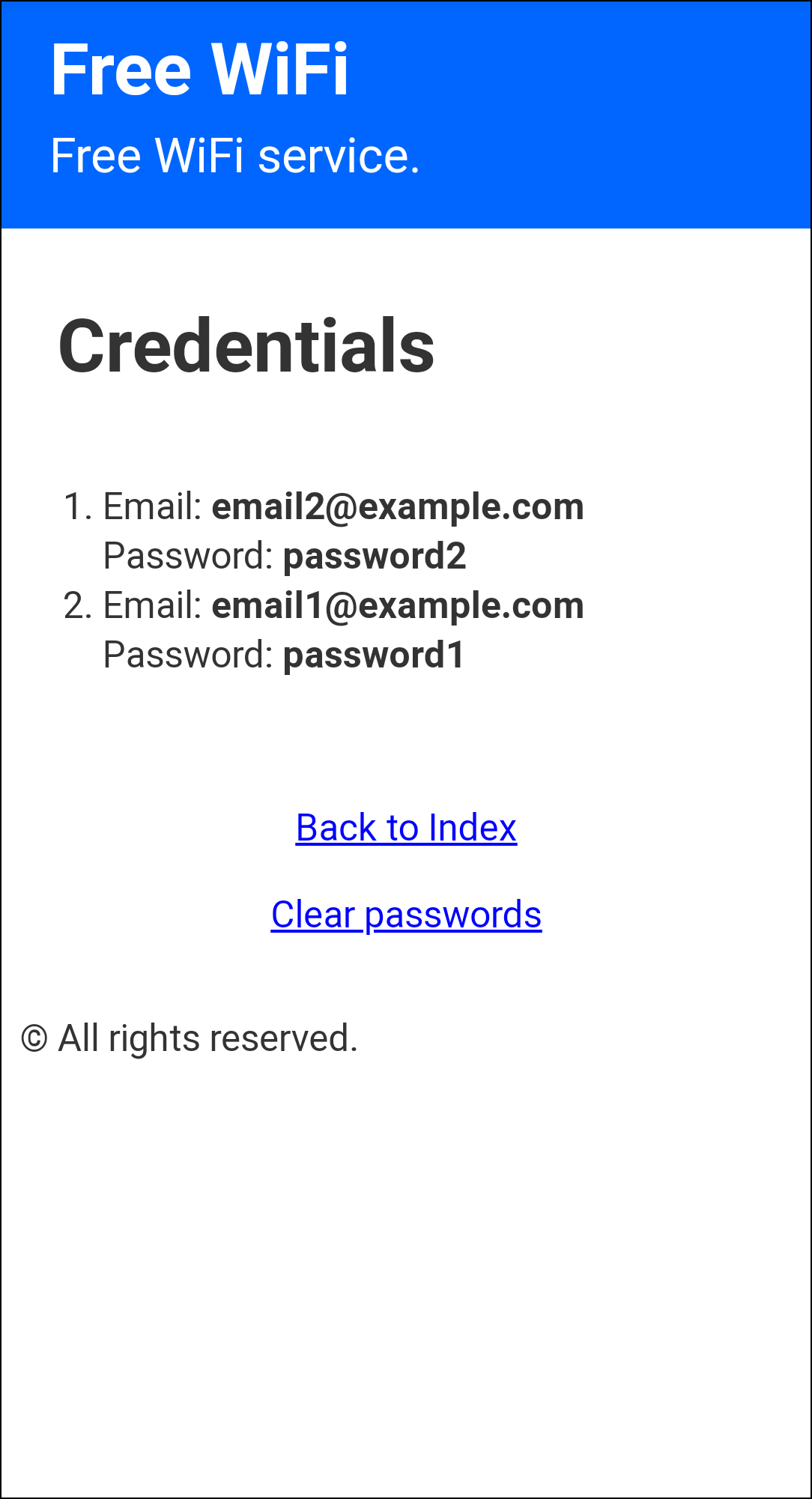
(11-4-2023) - Create A Rogue AP with a Captive Portal using an ESP8266. The WiFi captive portal for the NodeMCU (ESP8266 Module) with DNS spoofing. It asks the user for an email and a password for a fake sign in, in order to "get connected to the internet". The built-in LED will blink 5 times when some credentials are posted. Download the bin posted below:
STEPS
1. Open Google Chrome /
2. Head To https://esp.huhn.me/
3. Connect your ESP
4. Pick the right port its connected / upload the bin
5. AND FLASH!
Note: If you want to see the stored credetials go to "http://yourcurrentwebsite.com/creds" or "172.0.0.1/creds" BIN FILE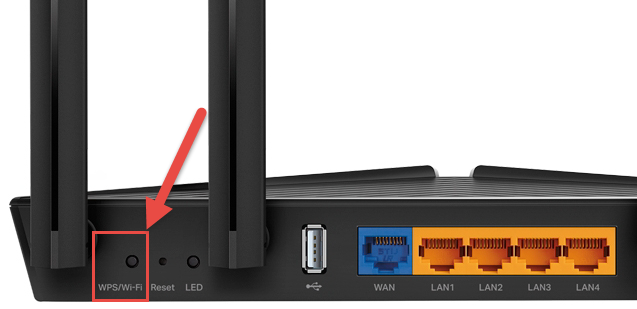
WPS (Wi-Fi Protected Setup) gives you the ability of connecting to a network without the use of inputting credentials.WPS is susceptible to Push-Button Attacks, you might be aware of the Kali NetHunter attack performed on a mobile phone. It uses a script written on Python called OneShot. OneShot gives you the ability to use your wifi adapter to attack a nerby router with a WPS button within range. Once the script is EXE you press the button on the victim router, within a few seconds the script displays the AP as Well as the PSK. heres the link to the repo, clone it and all commands are on the README.md of the folder. ONESHOT

Have you ever wanted to track Aircrafts around you? Its pretty simple with the use of a RTL-SDR. I've condensed all instrucions in the txt file linked at the end go over them and you'll be up and running in no time. INSTRUCTIONS
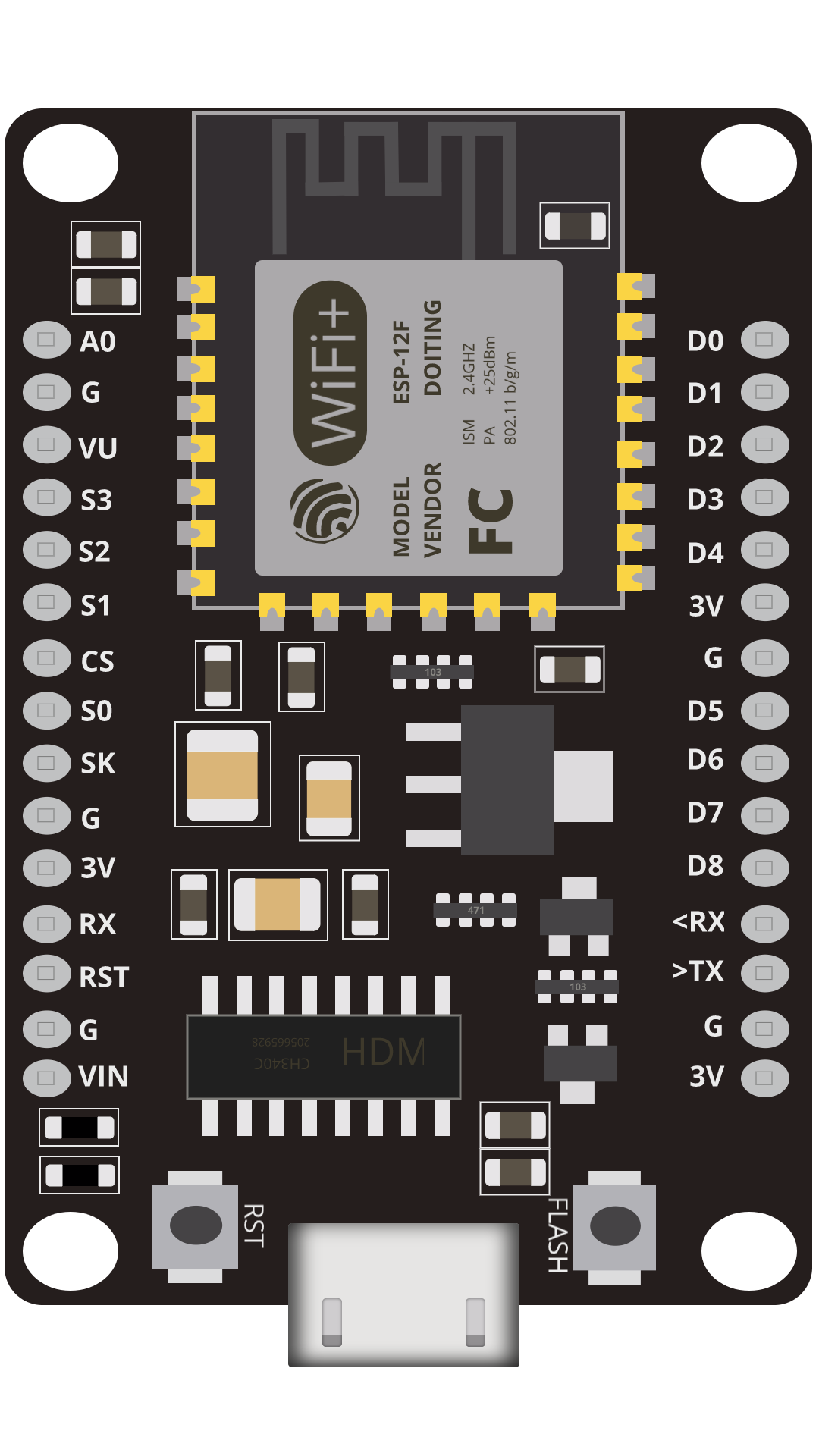
Create a Deauth Detector using a ESP8266 to see when someone is attacking your network just flash your esp8266 with the bin file on this github repo from SpaceHuhn. DEAUTHREPO
Ubuntu now available for Raspberry Pi 5 Full Support 22.04.3 LTS Download IMG
latest version of mayhem firmware for hackrf one 1.8.0 if you're new to this specific topic all you need to do is download the sd card file on the github repository listed here and copy all the extracted files into a sd cards root directory with a FAT32 format. tor mayhemfirmwaresdcard
New android BLE Spam App released making it easier to spoof pop up notifications / APK available on github. githubapk
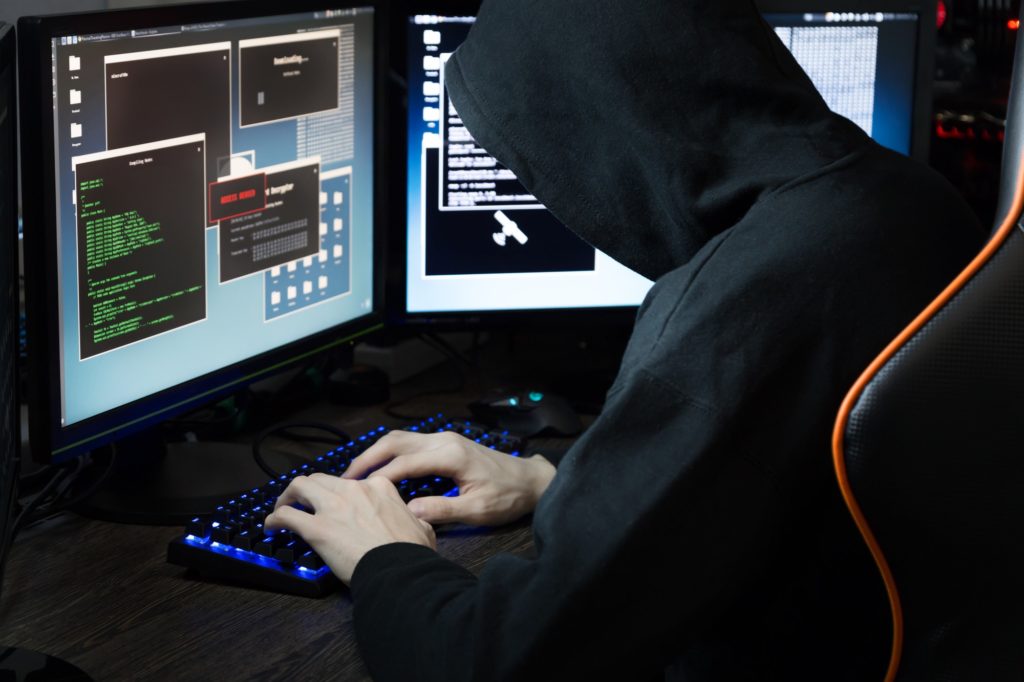
(11-2-2023)- North Korean Hackers Targeting Crypto Experts with KANDYKORN macOS Malware
Look-up public information on people using fastpeoplesearch /addresses/relatives/phone-numbers/ click here ->> link
(11-1-2023) - curious on searching up someones carrier OSINT MAKES IT POSSIBLE. carrierlookup

11-1-2023 - testing website on the dark web using Nginx and TOR hidden services. clearnet